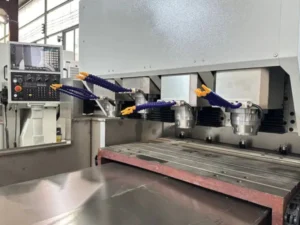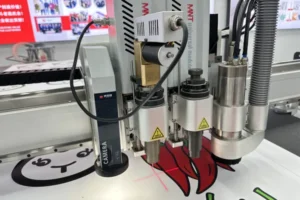
An ATC router adds a tool magazine, a rack and pinion drive, and an automatic tool-change cycle to everything a single-spindle router already needs maintained — three more subsystems that can drift out of tolerance quietly while the machine keeps running and producing parts that look fine until they suddenly aren’t.
Shops running an ATC CNC router like the T6 often carry over a maintenance routine built for a simpler single-spindle machine, which misses the parts specific to automatic tool changing: magazine alignment, tool holder condition, and tool length calibration. Skip those and the first sign of trouble is usually a tool that doesn’t seat correctly mid-job or a part that’s suddenly out of Z-tolerance for no obvious reason.
This checklist covers the maintenance items specific to keeping an ATC CNC router accurate and reliable, organized by how often each one needs attention.
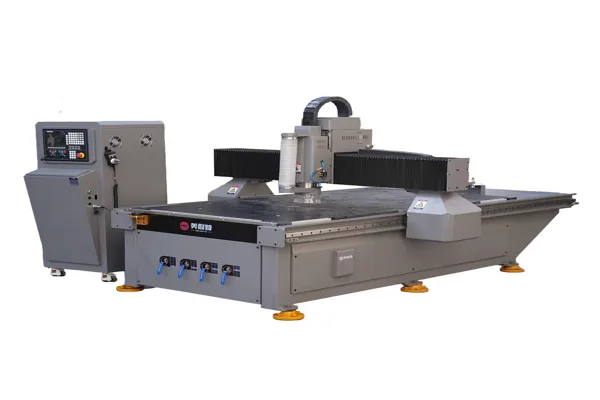
Clean Tool Holders and Taper Before Every Shift
Wipe down tool holder tapers daily — a small burr, chip, or film of resin buildup on the taper is enough to seat a tool slightly off, which throws off tool length offset in a way that’s hard to diagnose without checking the taper itself first.
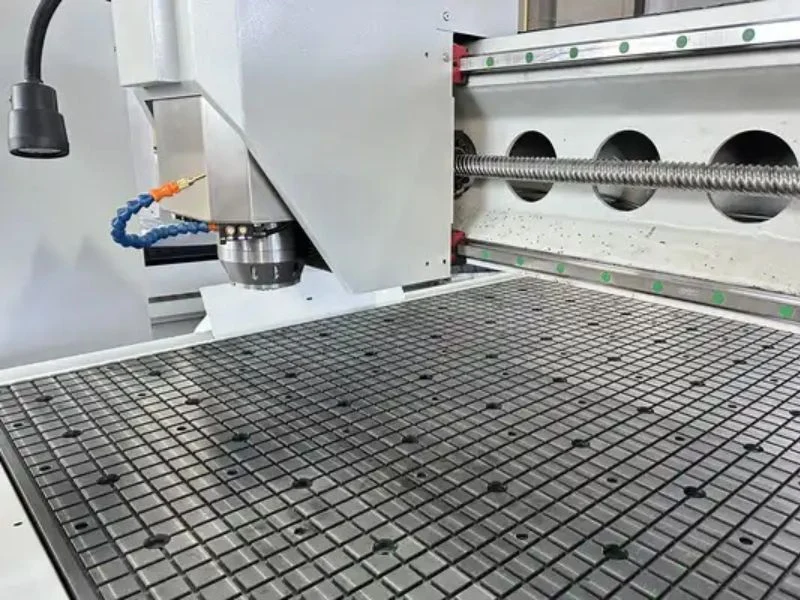
The automatic tool changer relies on a clean, undamaged taper mating surface to seat each tool at a repeatable position every time. A taper that looks clean to a casual glance can still carry enough debris to cause a measurable seating error — check it under good light, not just by feel.
Check the ATC Magazine Weekly
Inspect the tool magazine’s alignment and each tool position weekly — a magazine position that’s drifted out of alignment can cause a tool change to fail or, worse, seat a tool incompletely without throwing an obvious fault. On a four-position linear magazine, this is a quick check, but it’s one that’s easy to skip when the machine has been running trouble-free.
Confirm each position releases and grips its tool smoothly through a full change cycle, and listen for any change in sound or hesitation during the tool-change motion — a magazine starting to bind mechanically often shows up as an audible change before it shows up as an actual failure.
Warm Up the Spindle Before Production
Run a low-RPM spindle warm-up cycle at the start of every shift, especially after the machine has been idle overnight — a cold spindle bearing has tighter clearance and thicker grease than a warmed-up one, and jumping straight to full RPM shortens bearing life. This applies whether the ATC router uses an air-cooled or water-cooled spindle.
Two to three minutes at reduced RPM, ramping to working speed, is enough for most spindles to reach stable operating temperature. Listen for the sound to even out before starting production — a spindle that still sounds uneven after warm-up needs a bearing inspection rather than more warm-up time.
Check Servo Motion and Rack and Pinion Drive
Check servo motor mounting and rack and pinion backlash monthly — a dual-drive rack and pinion gantry depends on both sides of the drive staying properly meshed and lubricated, and backlash that creeps in gradually shows up as positioning error that’s easy to mistake for a programming or calibration issue.
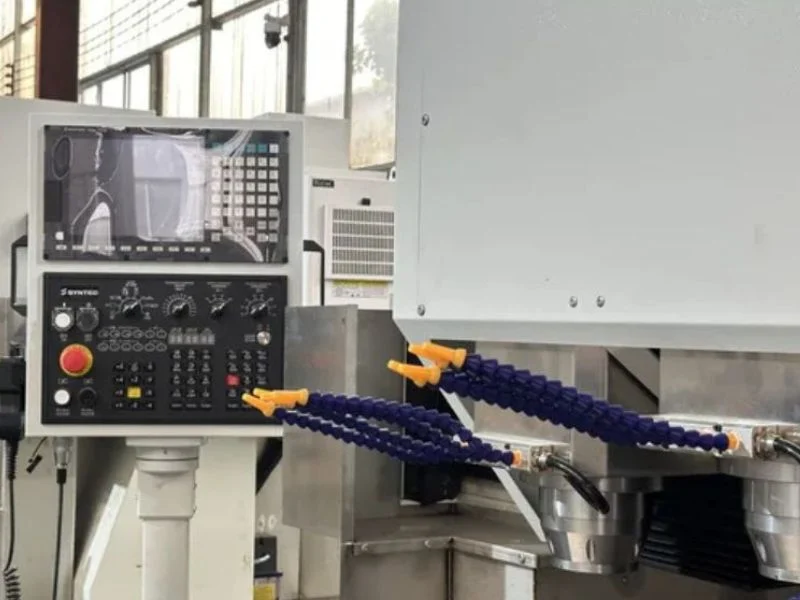
Lubricate rack and pinion drive components on the schedule specified for your machine — under-lubrication accelerates wear on both the rack teeth and pinion gear, while the wrong lubricant type can attract dust and debris that does more harm than no lubrication at all. Confirm you’re using the lubricant type and interval your machine manufacturer specifies rather than a generic shop grease.
Calibrate Tool Length After Any Tool Change or Crash
Recalibrate tool length offset any time a new tool is added to the magazine, after any tool crash or collision, and as a periodic check even without an obvious trigger — an offset that’s slightly wrong doesn’t fail obviously, it just cuts slightly too deep or too shallow.
Most ATC routers use a tool setter or touch-off probe to measure tool length automatically as part of the tool-change routine. Confirm that probe or setter itself is clean and undamaged — a fouled tool setter produces a bad length reading that then gets applied to every subsequent cut with that tool until someone catches the error in a finished part.
Manage Dust Extraction
Check dust extraction airflow daily and clean or replace filters on the schedule your extractor manufacturer specifies — reduced airflow doesn’t just create a mess, it lets dust settle into the tool magazine and onto tapers, directly undermining the tool-holder cleanliness that accurate tool changes depend on.
Wood and MDF dust can also present a combustible dust hazard if it accumulates in ductwork or filters that aren’t maintained — treat extraction maintenance as a safety item, not just a housekeeping one, and check ducting for leaks at joints that quietly reduce extraction efficiency at the cutting head.
Back Up Controller Files and Tool Library
Back up job files, the tool library and machine parameters weekly, and immediately after any change to tool length offsets or machine settings — rebuilding a dialed-in tool library from memory after an unplanned controller reset costs far more time than a scheduled backup would have.
Keep at least two backup generations rather than just the most recent one, since a backup taken right after a bad setting change captures the mistake along with everything else. Document any manual tool-length or wear compensation the operator has dialed in — this is the detail most likely to be lost and hardest to reconstruct after a reset.
Review Machine Guarding Monthly
Inspect guards, interlocks and emergency stops monthly, and immediately after any guard has been removed for service — a guard that’s been taken off to clear a jam and not fully reinstalled is one of the most common ways an interlock ends up unintentionally defeated.
Confirm interlock switches trigger reliably when a guard is opened and that the emergency stop actually cuts power rather than just pausing the running program. See OSHA’s machine guarding requirements for the general standard most shops are already working against.
Maintenance Schedule at a Glance
| Task | Daily | Weekly | Monthly |
|---|---|---|---|
| Tool holder / taper cleaning | ✔ | ||
| ATC magazine alignment check | ✔ | ||
| Spindle warm-up cycle | ✔ | ||
| Servo motion / rack and pinion check | ✔ | ||
| Rack and pinion lubrication | Per manufacturer schedule | ||
| Tool length calibration | After tool change / crash | ||
| Dust extraction airflow check | ✔ | ||
| Controller / tool library backup | ✔ | ||
| Guarding & interlock review | ✔ |
For a maintenance checklist covering a single-spindle precision router without ATC-specific items, see our precision CNC router maintenance checklist — that one focuses on ball screw and runout precision items an ATC router shares but this guide keeps its focus on tool-changing hardware specifically. For buying guidance, see T6 ATC Engraving Processing Center.
Frequently Asked Questions
How often should I clean the tool holder tapers on an ATC router?
Daily, at the start of every shift — a small amount of debris on the taper is enough to seat a tool slightly off, which throws off tool length offset and cut accuracy.
Why does my automatic tool changer sometimes fail to seat a tool?
Most seating failures trace back to a dirty or damaged taper, magazine misalignment, or debris in the tool position — check these before assuming a mechanical fault in the tool changer itself.
How often should tool length be recalibrated?
Any time a new tool is added, after any crash or collision, and as a periodic check even without an obvious trigger — an incorrect offset doesn’t fail visibly, it just cuts at the wrong depth.
What causes rack and pinion backlash to develop over time?
Normal wear, insufficient or incorrect lubrication, and mounting hardware working loose over time all contribute. Monthly checks catch developing backlash before it shows up as positioning error in finished parts.
Is dust extraction maintenance really a safety issue, not just cleanliness?
Yes, particularly with wood and MDF dust, which can present a combustible dust hazard if it accumulates in poorly maintained ductwork or filters.
What should I back up before making machine parameter changes?
Job files, the tool library, and any manual tool-length or wear compensation the operator has dialed in — the last category is easiest to lose and hardest to reconstruct from memory after a reset.