Signage and print-finishing shops usually own a router already. The gap most of them don’t notice until it costs them a job is what happens after the router work is done — trimming a printed graphic to shape, cutting foam board or KT board to a die line, or finishing an ACP panel edge, all of which need a different tool than a spindle.
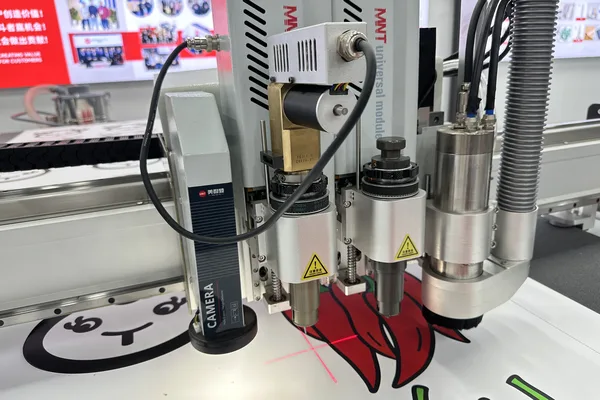
A digital engraving and cutting machine combines spindle routing with knife cutting and camera-based registration in one machine, so a shop that would otherwise need a router for rigid substrate and a separate flatbed cutter for flexible or printed material can run both processes on one bed, in one job file. Whether that combination is worth the added cost over a standard ATC router depends entirely on how much of your actual work needs both capabilities.
This guide covers what a combined machine like the T7 actually adds — spindle routing, oscillating knife cutting, CCD registration, vacuum zoning and ATC tool planning — and when a standard ATC router or a dedicated flatbed cutter is still the better fit.
Spindle Routing for Rigid Substrate
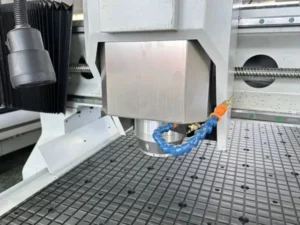
The spindle side handles what any ATC router does — profiling, drilling and edge-finishing rigid material like acrylic, ACP (aluminum composite panel), MDF and dibond — and on a combined machine, that spindle work runs through the same automatic tool changer as any dedicated router.
For shops whose work is entirely rigid substrate — cut and routed acrylic signs, ACP panel fabrication — the routing side alone doesn’t justify paying for knife and vision capability. The case for a combined machine starts once flexible or printed material regularly enters the job mix alongside the rigid work.
Oscillating Knife Cutting for Flexible and Foam Material
The oscillating knife and drag blade handle foam board, KT board, coroplast, vinyl and other flexible or foam-core material that a router bit can’t cut cleanly — foam board especially tends to compress and melt under a spinning bit rather than shearing cleanly the way a knife blade cuts it.
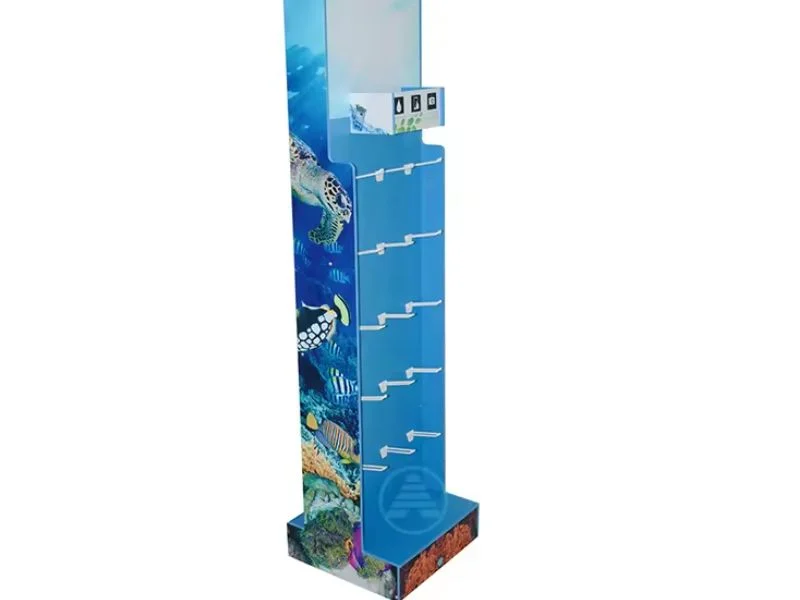
This matters directly for POP display and foam board work, where a clean, vertical cut edge — and often a V-cut score for a fold-and-assemble display — is part of the finished product’s quality, not just a manufacturing step. A router bit can profile the rigid backing of a display stand; the knife is what cuts and scores the foam board face cleanly enough to fold without cracking the surface.
CCD Registration for Print-to-Cut Accuracy
A CCD camera reads printed registration marks and compensates for shift or distortion that happens during printing or laminating, so the knife cuts precisely to a printed graphic’s actual position rather than to its position on the original file — without this, cutting accurately to print is not reliably possible.
This is the capability that separates a combined machine from a router with an add-on knife head: printed material rarely comes off a printer in perfect register with the original file, and a machine that can’t read and compensate for that shift produces cuts that drift visibly off the printed artwork, especially on longer print runs or larger format work.
Vacuum Zones for Mixed Rigid and Flexible Material
Independently switched vacuum zones matter more on a combined machine than a single-process one, because a job that mixes rigid panel in one area of the bed with flexible printed material in another needs each zone held appropriately for its own material without wasting suction on unused bed area.
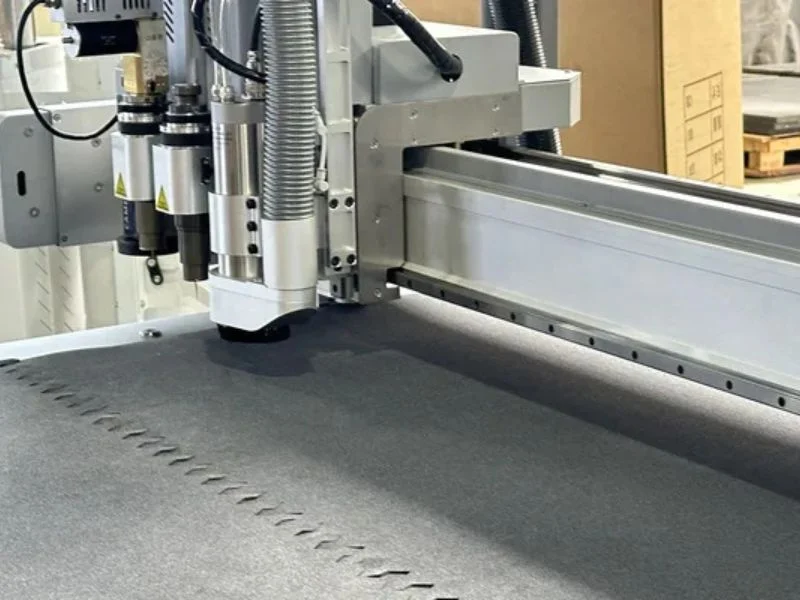
Confirm zone count and pump sizing against your actual job layouts, not a simplified single-material test. A machine that holds a full sheet of rigid acrylic fine but struggles to hold a partial-bed layout of thin printed vinyl is undersized for the mixed-material work a combined machine is specifically meant to handle.
ATC Tool Planning: Router Bits, Knife and Drag Blade Together
Plan the tool magazine around the actual sequence a typical job needs — a profiling bit for rigid edges, the oscillating knife for foam and flexible material, a drag blade for thin vinyl overlay — and confirm the automatic tool change between spindle and knife tooling runs reliably within one program, not as a manual intervention.
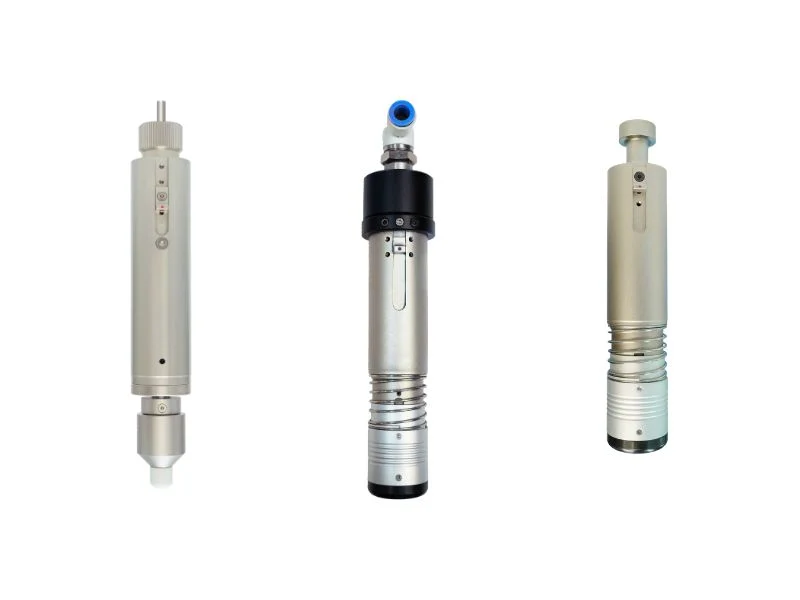
A job that routes an ACP panel edge, then knife-cuts a foam board insert, then drag-cuts a vinyl overlay graphic — all for the same finished display — is exactly the workflow a combined tool changer is built for. Confirm tool-change time between spindle and knife tooling specifically, since that transition is mechanically different from swapping between two router bits.
When to Choose a Combined Machine vs a Standard ATC Router
Choose a combined machine when your job mix regularly needs both rigid routing and flexible or printed knife cutting on the same part or the same production run; choose a standard ATC router when your work is consistently rigid-substrate-only, since the combined machine’s knife and vision hardware add cost you won’t use.
Run this against your own job log rather than a general rule: how many jobs in a typical month need both capabilities on the same piece, versus how many are purely rigid routing that a standard ATC router handles without the added cost? A signage shop doing occasional printed overlay work might be better served by a standard router plus outsourcing the rare flexible-cutting job; a shop where that combination is a weekly or daily occurrence sees the clearest return from a combined machine.
See the full T7 ATC Digital Engraving & Cutting Machine specifications, our T6 ATC Engraving Processing Center for spindle-only ATC routing, or the oscillating knife cutting machine page for dedicated knife-cutting platforms.
Frequently Asked Questions
Do I need CCD vision if I’m not cutting printed material?
No — CCD registration exists specifically to align a knife cut to printed artwork that may have shifted during printing or laminating. If your work never involves cutting to a printed graphic, a standard ATC router covers rigid substrate work without that added cost.
Can a router bit cut foam board cleanly instead of a knife?
Not reliably — foam board tends to compress and melt under a spinning bit rather than shearing cleanly. An oscillating knife produces the clean, vertical cut and fold-score that foam board and POP display work typically need.
How many vacuum zones do I need for mixed rigid and flexible material?
Enough independently switched zones to hold each material type appropriately within a mixed layout — confirm zone count and pump sizing against your actual job layouts rather than a single-material test.
Is a combined machine worth it if I only occasionally cut flexible material?
It depends on frequency — occasional flexible-cutting jobs might be handled more cost-effectively with a standard router plus outsourcing or a smaller dedicated cutter. Regular, weekly-or-more mixed jobs usually see a clearer return from a combined machine.
Does tool-change time differ between spindle and knife tooling?
Yes — the transition between spindle and knife tooling is mechanically different from swapping between two router bits, so confirm this specific tool-change time rather than assuming it matches standard bit-to-bit change speed.
What materials does the oscillating knife handle that a router can’t?
Foam board, KT board, coroplast, vinyl and other flexible or foam-core material that would compress, melt or tear under a spinning router bit rather than shearing cleanly under a blade.