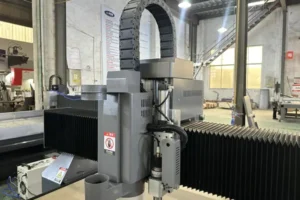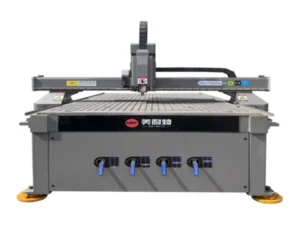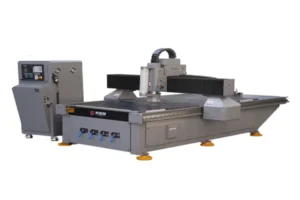
An entry-level vision router’s maintenance is genuinely simpler than a continuous-duty production machine’s — no chiller to maintain, a hybrid stepper-servo drive instead of full servo — but “simpler” doesn’t mean “skip it.” The items that do apply here still protect the two things that actually matter on this machine: camera registration accuracy and consistent cut quality. This guide covers the T2 entry-level vision router. For ATC tool-changer maintenance, precision axis-drive maintenance, or continuous-duty vision router maintenance, see our companion checklists.
The T2’s air-cooled spindle and hybrid stepper-servo drive are specifically what make it simpler to own than a water-cooled continuous-duty machine — fewer subsystems means fewer things to check, but the camera system’s maintenance needs are identical regardless of which spindle configuration sits underneath it.
This checklist covers the maintenance items specific to keeping an entry-level vision router accurate, organized by frequency.
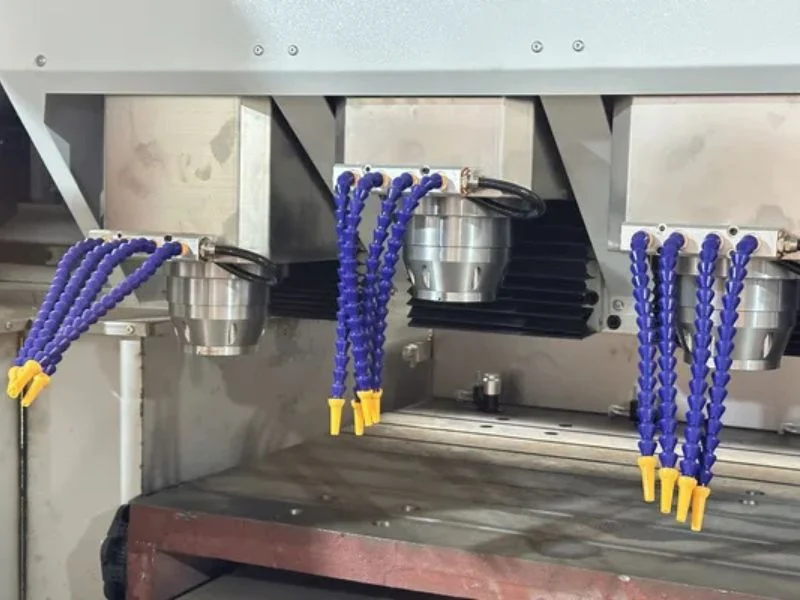
Clean the CCD Camera Lens Daily
Wipe the camera lens with a lint-free cloth at the start of every shift — this applies identically to entry-level and high-speed vision routers, since the camera’s sensitivity to lens contamination doesn’t change based on which spindle configuration the machine has.
Even a light film of dust reduces contrast enough to cause intermittent registration-mark read failures, which look like a calibration problem rather than a cleanliness issue and send troubleshooting in the wrong direction. Use compressed air first, then a lens-safe cloth — never a dry paper towel.
Check Camera Calibration Weekly
Run the camera calibration routine weekly even without an obvious problem — drift is gradual, and a fixed check catches it before a full job runs off-register.
If calibration offset keeps growing between checks, verify the camera’s physical mounting hasn’t loosened rather than assuming the calibration software itself is failing — mechanical causes are more common than software ones for this specific symptom.
Warm Up the Spindle Before Production
Run a brief low-RPM warm-up cycle at the start of every shift — this applies to the T2’s air-cooled spindle the same way it does to a water-cooled one, since bearing wear from a cold start is a function of temperature and RPM ramp, not cooling method.
Two to three minutes at reduced RPM, ramping to working speed, is enough for most spindles to stabilize. This is a quick habit that costs almost nothing and meaningfully extends spindle bearing life over the machine’s service life.
Inspect Cutters and the Hybrid Stepper-Servo Drive
Check cutting tools for wear before each job, and periodically verify positioning accuracy on the hybrid stepper-servo drive with a test cut — a hybrid drive can develop step loss or positioning drift under certain load conditions that a full servo system is less prone to, so a periodic accuracy check is worth the few minutes it takes.
If test cuts start showing small, inconsistent dimensional variance, check drive tuning and mechanical connections before assuming the camera or calibration is at fault — on a hybrid drive system, positioning accuracy issues can originate from the drive itself rather than the vision system.
Manage Dust Extraction
Check dust extraction airflow daily and maintain filters on schedule — dust settling on the camera lens and lighting is the primary way inadequate extraction undermines this machine’s core capability, regardless of spindle type.
Position extraction close to the cutting point to keep debris away from the camera housing specifically, not just the general work area.
Care for the Vacuum Table
Clean vacuum channels and check gaskets regularly — material that shifts under inadequate suction undermines camera-corrected registration the same way on an entry-level machine as it does on a high-speed one.
A camera can correct for a print that was slightly off-register before loading, but it can’t correct for a sheet that continues moving during the cut due to weak vacuum hold. Treat vacuum maintenance as part of registration accuracy, not a separate housekeeping item.
Lubricate Guides on Schedule
Lubricate linear guides on the interval your manufacturer specifies — under-lubrication accelerates wear that eventually shows up as positioning inconsistency, compounding with any drive-related variance on a hybrid stepper-servo system.
Use the specified lubricant type and check for even coverage across the full travel range.
Back Up Job Files and Settings
Back up job files and machine parameters periodically, even on a simpler entry-level machine — the hybrid stepper-servo drive and camera system both have configuration values that took time to dial in, and an unplanned reset that loses those settings costs more time to rebuild than a backup would have taken to make.
This is an easy item to skip on a machine that otherwise requires less maintenance overall, but the cost of losing dialed-in settings doesn’t scale down just because the rest of the maintenance list is shorter.
Review Machine Guarding Monthly
Inspect guards, interlocks and emergency stops monthly, and immediately after any guard has been removed for service. See OSHA’s machine guarding requirements for the general standard most shops are already working against.
Maintenance Schedule at a Glance
| Task | Daily | Weekly | Monthly |
|---|---|---|---|
| CCD camera lens cleaning | ✔ | ||
| Camera calibration check | ✔ | ||
| Spindle warm-up cycle | ✔ | ||
| Cutter inspection | Before each job | ||
| Drive positioning accuracy check | ✔ | ||
| Dust extraction airflow check | ✔ | ||
| Vacuum table / gasket check | ✔ | ||
| Guide lubrication | Per manufacturer schedule | ||
| Job file / settings backup | ✔ | ||
| Guarding & interlock review | ✔ |
For ATC tool-changer maintenance, see our ATC CNC router maintenance checklist. For precision axis-drive maintenance, see our precision CNC router maintenance checklist. For continuous-duty vision router maintenance, see our T3 vision router maintenance checklist.
Frequently Asked Questions
Is maintenance really simpler on an entry-level vision router?
Yes — no chiller to maintain and a hybrid stepper-servo drive instead of full servo means fewer subsystems overall, but camera and registration-related maintenance is identical to a higher-tier machine’s requirements.
Does an air-cooled spindle still need a warm-up cycle?
Yes — bearing wear from a cold start is a function of temperature and RPM ramp regardless of cooling method, so a brief low-RPM warm-up still protects spindle life on an air-cooled machine.
What causes small dimensional inconsistency on a hybrid stepper-servo drive?
Step loss or positioning drift under certain load conditions is more common on hybrid drives than full servo systems — check drive tuning and mechanical connections if test cuts show inconsistent variance.
How is this different from the T3’s maintenance checklist?
This covers the T2’s air-cooled spindle and hybrid stepper-servo drive specifics; the T3 guide covers continuous-duty water-cooled spindle maintenance for higher-volume production. Camera-related items are largely the same across both.
How often should the camera be recalibrated?
Weekly as a standing check, even without an obvious problem, since registration drift develops gradually and a fixed schedule catches it before it affects a full production run.
Why does vacuum table condition matter for camera accuracy?
The camera corrects for print misalignment present before loading, but not for a sheet that shifts during the cut due to weak vacuum — vacuum maintenance is effectively part of registration accuracy.