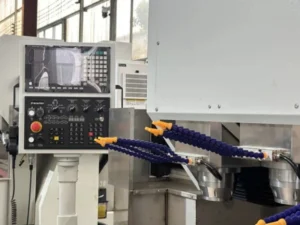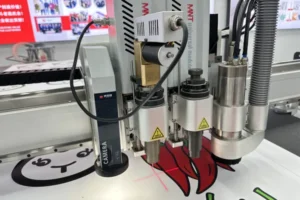
An advertising and sign shop’s first CNC purchase usually gets evaluated on price and bed size — the two specs that are easiest to compare across quotes. For the full set of cutting machines a sign shop runs — router, knife cutter and fiber laser — see sign making machines. The specs that actually determine whether the machine handles real sign production well are camera alignment quality, material holding across your substrate range, and how cleanly the file workflow gets artwork from design software to a finished cut.
A vision CNC router built for advertising production needs to read printed registration marks reliably, hold everything from thin printed vinyl to rigid PVC and acrylic sheet on the same table, and move DXF and PLT files through to machine-ready NC output without a workflow that introduces errors along the way. Miss any of these and the machine’s raw cutting capability doesn’t matter — the shop still can’t produce accurate, print-matched signage reliably.
This guide covers what to check before buying, and when it makes sense to compare an entry-level vision router against a higher-speed model.
Camera Alignment: What to Verify Before Buying
Ask for a demonstration cut on your own printed sample material, not the supplier’s standard demo print — camera alignment quality varies with print contrast and media type, and a camera that reads a high-contrast test print perfectly may perform differently on your actual signage substrate and ink combination.
Confirm the camera’s edge-detection capability specifically, not just registration-mark reading — many sign jobs involve cutting to a printed shape’s actual edge rather than a separate registration mark, and this is a distinct capability worth testing on your own material before committing to a purchase.
Table Size Matched to Your Sheet Sizes
Confirm working travel — not nominal bed size — comfortably covers your standard sheet sizes with margin, since sign shops running full 4×8 ft (1220×2440 mm) rigid board or larger printed roll material need the table to handle that size without repositioning mid-job.
Oversizing the table beyond your actual sheet range adds cost and floor space without adding capability; undersizing forces manual repositioning that adds handling time and a chance for material to shift between passes. Match table size to your actual production sheet sizes, not an aspirational future capacity.
Spindle Power for Your Material Mix
A 3 kW spindle — often air-cooled on entry-level vision routers — comfortably handles acrylic, PVC sheet and most standard signage substrates; heavier material or higher-volume continuous production may call for a higher-power, water-cooled option.
Air-cooled spindles have a real practical advantage for shops new to CNC: no chiller to install, maintain or troubleshoot, which simplifies both setup and ongoing maintenance. This is a genuine benefit for a shop’s first vision machine, not just a lower-cost compromise — fewer subsystems means fewer things that can go wrong while a shop is still building operator experience.
Material Holding Across Substrates
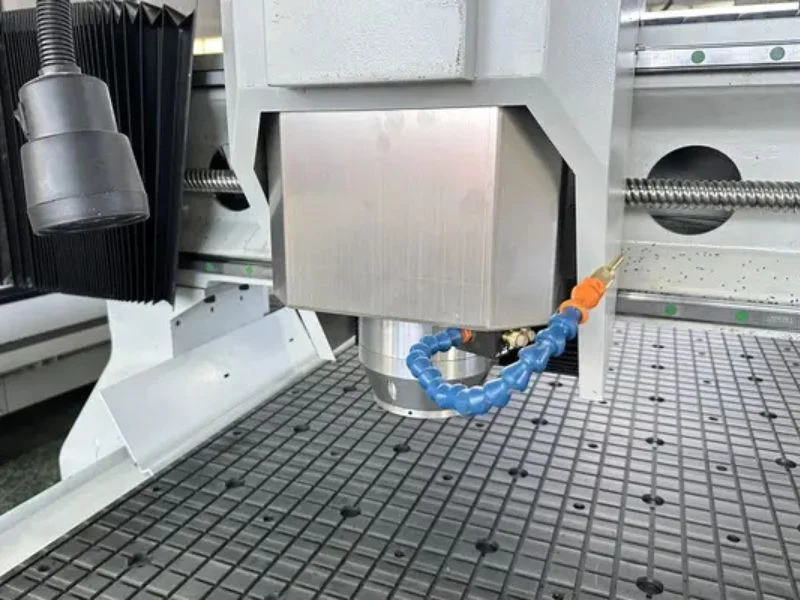
Confirm the vacuum table and worktable surface hold everything from thin printed vinyl overlay to rigid acrylic and PVC board reliably — a table optimized for one material extreme doesn’t automatically hold the other well, and inconsistent hold-down shows up as both cut-quality problems and camera registration errors if material shifts during the cut.
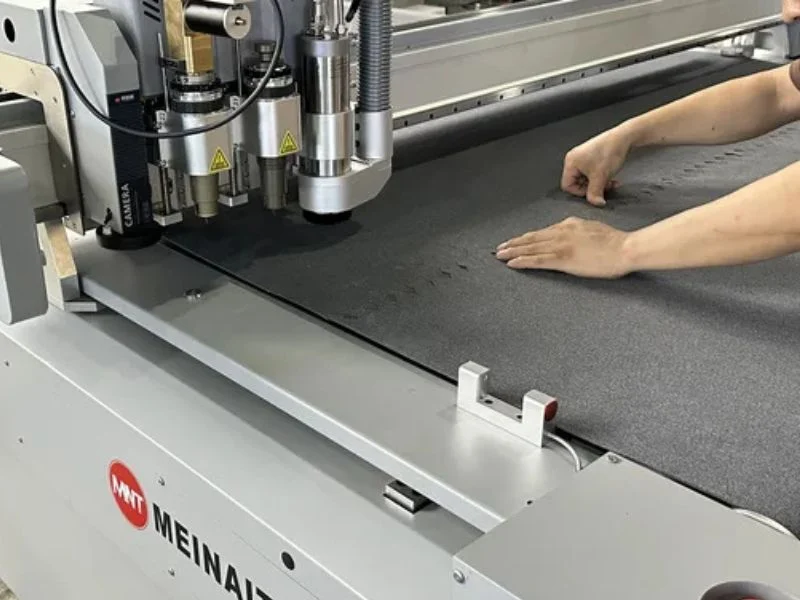
Ask specifically how the machine handles your thinnest and most rigid materials, not just a mid-range sample. A single worktable that reliably handles your full substrate range is more valuable than one that excels on one material type and struggles with another you also regularly run.
File Format Handling: DXF, PLT and NC
Confirm the controller software handles DXF and PLT files from your design software cleanly, converting to machine-ready NC output without a manual step prone to introducing registration mark errors — this file-handling chain matters as much as the camera hardware itself for accurate print-to-cut results.
Ask how the software preserves registration mark position through file conversion specifically. A camera system can only be as accurate as the mark position data it’s working from, and a lossy or error-prone conversion step undermines camera hardware quality no matter how good the camera itself is.
Controller Workflow for Production Use
Evaluate the controller’s day-to-day workflow — job queuing, material and job file organization, how straightforward it is to run repeat jobs — not just its technical capability, since a capable but cumbersome controller adds friction to every job a production shop runs.
Ask for a hands-on demonstration of a typical job from file load through completed cut, not just a features walkthrough. The difference between a controller that’s pleasant to use daily and one that’s merely functional adds up significantly across months of production.
When to Compare an Entry-Level Model Against a Higher-Speed Vision Router
An entry-level air-cooled vision router like the T2 is the right starting point for a shop’s first vision machine or lower-volume production; compare against a higher-speed, continuous-duty model once production volume genuinely runs the machine for extended periods without significant idle time between jobs.
Many shops reasonably start with an entry-level model — lower cost, simpler maintenance, fewer subsystems to learn — and upgrade once volume grows to the point where continuous-duty spindle cooling and faster throughput pay back their added cost. See our high-speed vision CNC router buying guide for what changes once your volume reaches that point.
See the full T2 Vision CNC Router for Wood & Advertising specifications.
Frequently Asked Questions
Do I need a water-cooled spindle for advertising sign production?
Not necessarily — a 3 kW air-cooled spindle comfortably handles acrylic, PVC and most standard signage substrates for shops running moderate volume, with the advantage of no chiller to install or maintain.
How do I know what table size I need?
Match working travel — not nominal bed size — to your standard sheet sizes with margin, based on your actual production material, not an aspirational future capacity.
What’s the difference between registration-mark reading and edge detection?
Registration marks are dedicated printed reference points; edge detection reads a printed shape’s actual physical edge directly. Many sign jobs need edge detection specifically, so test this capability on your own material before buying.
Should I start with an entry-level vision router or a high-speed model?
An entry-level model is the reasonable starting point for a shop’s first vision machine or lower-volume production — compare against a higher-speed, continuous-duty model once your volume genuinely runs the machine for extended periods without idle time.
Why does file format handling matter as much as the camera hardware?
Camera accuracy depends on registration mark position data being preserved correctly through file conversion — a lossy DXF/PLT-to-NC conversion step undermines even excellent camera hardware.
Can one machine hold both thin vinyl and rigid acrylic sheet?
A well-designed worktable and vacuum system can, but confirm this specifically with your actual thinnest and most rigid materials rather than assuming a mid-range demonstration sample represents your full substrate range.