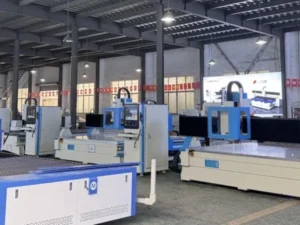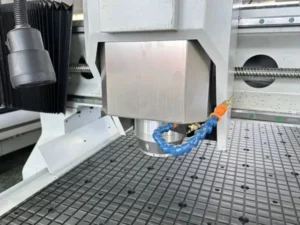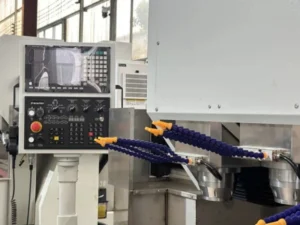
The T5 and T3 both start at the same price point and share the same 1300×2500 mm bed, which makes them look like interchangeable options until you look at what each one is actually optimized to do. The T5 has no camera and no vision system at all — it’s built for dimensional precision on rigid material. The T3 has no ball-screw Z-axis precision components — it’s built around a machine vision CCD camera reading printed marks so a cutter can follow a printed graphic’s actual position.
These aren’t two tiers of the same machine; they solve different production problems. A sign shop cutting printed vinyl and board to a die line needs vision capability the T5 doesn’t have. A shop machining acrylic, aluminum or copper to tight dimensional tolerance needs precision axis components the T3 wasn’t built around.
This comparison covers what each machine actually optimizes for and which production workflow fits each one.
The Short Answer
Choose the T5 for rigid-material machining — acrylic, aluminum, copper, composite sheet — where dimensional accuracy from the axis drive is what matters. Choose the T3 for print-to-cut production — cutting printed signage, advertising boards or graphics to their actual printed position — where camera-based registration is the capability that makes the job possible at all.
| T5 Precision CNC Router | T3 High-Speed Vision CNC Router | |
|---|---|---|
| Vision system | Not included | Imported CCD camera + edge detection |
| Spindle | 5.5 kW water-cooled | 3 kW water-cooled |
| Axis drive | Imported rack (X/Y) + ground ball screw (Z), full servo | Computer-controlled, built for continuous production |
| Optional tooling | — | Optional knife head for KT board, foam, hollow board |
| Material capability | Wood, acrylic, aluminum, copper, carbon fiber composite | Signage and advertising board, with optional soft-material knife cutting |
| Best for | Dimensional precision on rigid material | Print-to-cut accuracy on printed graphics |
| Starting price | USD 8,900 | USD 8,900 |
Rigid-Material Machining vs Print-to-Cut Contour Work
The T5’s ground ball screw and imported rack drive exist to hold tight dimensional accuracy while cutting rigid material to programmed geometry; the T3’s CCD camera exists to solve a completely different problem — aligning a cut path to a printed graphic that’s rarely in perfect register with its original file after printing and laminating.
These are not the same kind of accuracy. Dimensional precision means the machine cuts exactly where the program says to cut, relative to a fixed origin point. Print-to-cut accuracy means the machine adjusts its cut path to match wherever the printed material actually is, which shifts from sheet to sheet. A machine excellent at one doesn’t automatically handle the other — they require genuinely different hardware.
Acrylic and Aluminum Work: T5 Territory
For rigid acrylic, aluminum or copper machining without a print-alignment requirement, the T5’s precision axis components are what deliver consistent, tight-tolerance results — the T3 has no equivalent axis precision investment, since its engineering budget went into the vision system instead.
If your work is entirely cutting rigid material to a CAD drawing — no printed graphics, no camera-dependent registration — the T5 is the more directly relevant machine, and its lower spindle power relative to some heavier-duty options is offset by its axis precision, which is the more relevant spec for accuracy-critical rigid-material work.
Print-to-Cut and Signage Work: T3 Territory
For signage and advertising production where boards or graphics are printed first and then need to be cut precisely to that printed artwork, the T3’s CCD camera and edge detection are the capability that makes the job possible — without vision registration, cutting accurately to a printed die line isn’t reliably achievable.
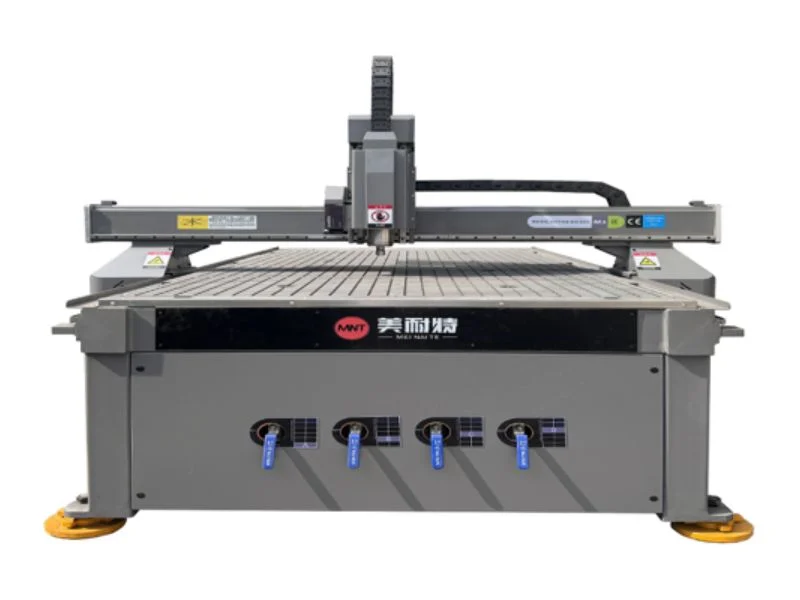
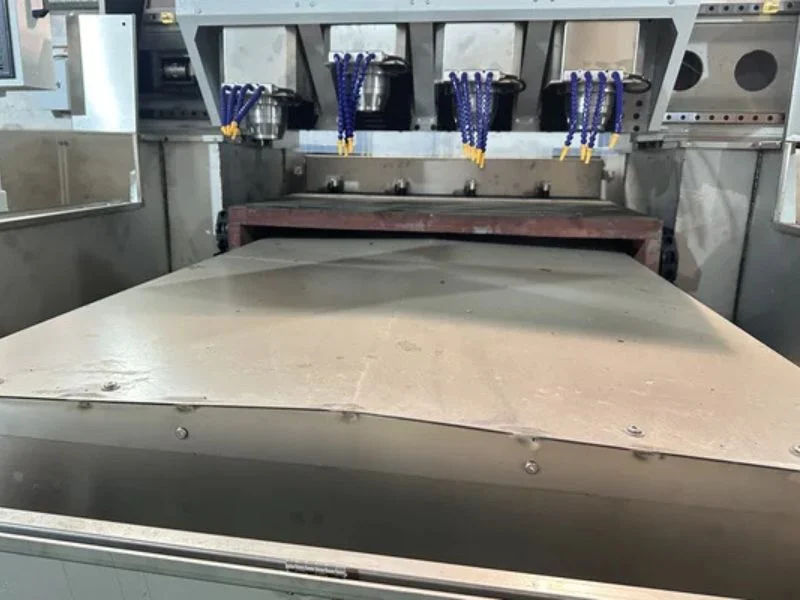
The T3’s water-cooled spindle is specifically built for continuous production runs, which matters for shops running high volumes of printed board through the day rather than occasional one-off jobs. The optional knife head extends this further, letting the same machine handle soft material like foam board or hollow board alongside rigid printed signage — without needing a second dedicated cutter for that softer material category.
A Worked Example: Choosing Between Them
A machine shop or fabrication business cutting acrylic panels and aluminum brackets to CAD drawings, with no printed-material component to the work, gets no benefit from the T3’s vision system and should choose the T5. A sign shop printing large-format graphics and cutting them to a die line needs the T3’s camera — the T5’s precision axis components don’t solve the alignment problem this workflow actually has.
The rare case genuinely needing both — rigid dimensional precision and printed-graphic registration — is better served by evaluating the T7, which combines spindle routing, knife cutting and CCD vision on one platform, rather than trying to make either the T5 or T3 cover the other’s core capability.
Daily Workflow Differences Operators Should Expect
Day-to-day operation on the T5 looks like standard CAM programming and cutting to a fixed origin; day-to-day operation on the T3 includes a print-quality check step before every job, since the camera’s ability to read registration marks depends on print contrast and mark placement being consistent. An operator moving between the two machines needs to understand this isn’t just a different control panel — it’s a different production discipline.
T3 operators typically confirm registration mark visibility and camera alignment before committing a full sheet, a step that has no equivalent on the T5’s fixed-origin workflow. T5 operators instead focus more on tool wear and dimensional verification against the CAD file, since there’s no printed-material variable to account for. Shops running both machines benefit from cross-training operators on each workflow separately rather than assuming router experience on one transfers directly to the other.
See the full T5 Precision CNC Router and T3 High-Speed Vision CNC Router product pages for complete specifications.
Frequently Asked Questions
Does the T5 have any vision or camera capability?
No — the T5 is built entirely around rigid-material dimensional precision through its axis drive components, with no camera or print-registration system.
Can the T3 machine aluminum or copper like the T5?
The T3’s engineering focus is vision-based print-to-cut work rather than rigid-material axis precision; for aluminum, copper or tight-tolerance acrylic machining, the T5’s precision components are the better fit.
What does the T3’s optional knife head add?
The ability to cut soft material — KT board, foam, hollow board — alongside its standard spindle work, so one machine covers both rigid signage and soft-material cutting without needing a second dedicated cutter.
Why is the T3 spindle lower power than the T5’s?
The T3’s engineering priority is continuous-production vision-guided cutting on signage material, which doesn’t demand the same spindle power as rigid metal machining — the T5’s higher spindle power supports its rigid-material focus instead.
Is there a machine that combines T5 precision with T3 vision?
Not as a direct combination of these two specific models — shops needing both rigid dimensional precision and printed-graphic registration should evaluate the T7, which combines spindle routing, knife cutting and CCD vision on one platform.
Which machine is better for a sign shop?
If the work involves cutting to printed graphics, the T3’s CCD vision system is the capability that makes accurate print-to-cut production possible — the T5 has no equivalent registration capability.