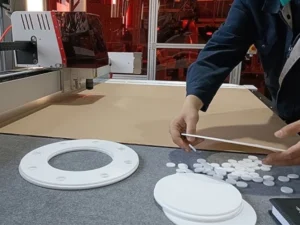
Acrylic and aluminum sit at opposite ends of what most CNC routers are actually built to handle well. A router tuned for fast acrylic sign-cutting often lacks the rigidity to hold tolerance in aluminum; a router built heavy enough for metal can be needlessly slow and over-specified for shops running mostly plastics.
A precision router that handles both well isn’t a compromise between the two — it’s a specific set of engineering decisions around bed rigidity, spindle power, axis drive components and workholding that happen to satisfy both material categories at once. Getting any one of those wrong shows up differently depending on the material: a rigidity shortfall shows up as chatter and poor edge finish on aluminum; insufficient spindle power shows up as melted, gummy edges on acrylic run too fast for the tool.
This guide covers the decisions that determine whether a precision router actually handles acrylic, aluminum, copper and composite sheet work, not just one of them.
Bed Rigidity: The Foundation Metal Cutting Actually Needs
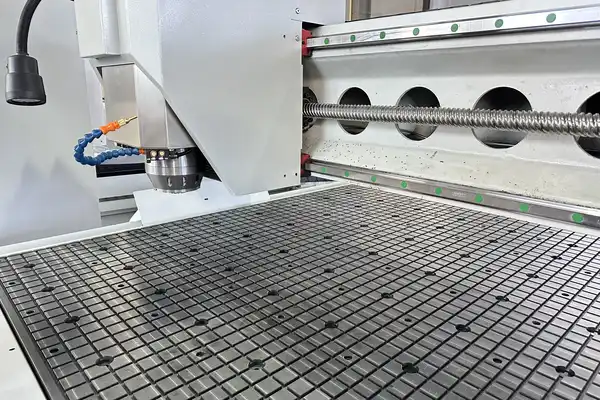
A welded, stress-relieved single-setup gantry frame resists the vibration and flex that metal cutting generates far better than a lighter or bolted-together frame — this matters far more for aluminum and copper than for acrylic, where a less rigid machine can still produce acceptable results at lower feed rates.
Metal cutting puts more force through the machine structure than plastic cutting at comparable feed rates, and any flex in the gantry translates directly into chatter marks and dimensional inconsistency. Ask specifically whether the frame is welded as a single structure and stress-relieved after welding — this construction resists warping and holds geometric accuracy over years of production better than assembled or unrelieved frames.
Spindle Power and Cooling
A water-cooled spindle in the 5–6 kW range handles acrylic, aluminum and copper across typical sheet and plate thicknesses, running quieter and more consistently under sustained metal-cutting load than an air-cooled spindle of similar power.
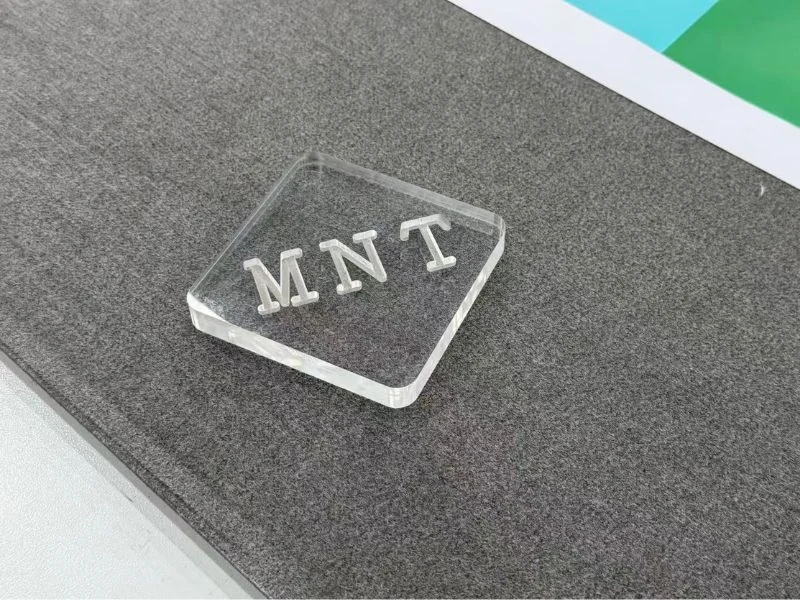
Acrylic actually punishes the wrong spindle setup differently than metal does: too much heat at the cutting edge from excessive speed or a dull tool melts and re-fuses the kerf instead of producing a clean cut, which is a heat management problem as much as a power one. Aluminum and copper need adequate power to maintain chip load at a safe feed rate without excessive tool deflection. A spindle sized and cooled for metal work comfortably handles acrylic at the lower end of its range; the reverse — a spindle sized only for acrylic — often can’t.
Servo Motion, Rack and Ball Screw Precision
Full servo control paired with an imported rack drive on X/Y and a ground ball screw on Z gives the positioning accuracy metal work demands — aluminum and copper parts with tight tolerances expose axis drive weaknesses that acrylic work, with its more forgiving tolerance requirements, often doesn’t.
Ask about backlash figures for the rack drive and ball screw preload specifically, not just whether the machine has “servo motors,” which is true of nearly every modern router regardless of precision level. The transmission components between the servo and the actual cutting point are what determine real-world positioning accuracy, and they vary significantly in quality across machines marketed at similar price points.
Workholding for Mixed Material and Thickness
Confirm the worktable and vacuum system hold both thin acrylic sheet and thicker aluminum or copper plate securely — a vacuum table sized and zoned for one material type doesn’t automatically hold the other equally well, and metal plate in particular needs enough clamping or vacuum force to prevent movement under cutting load.
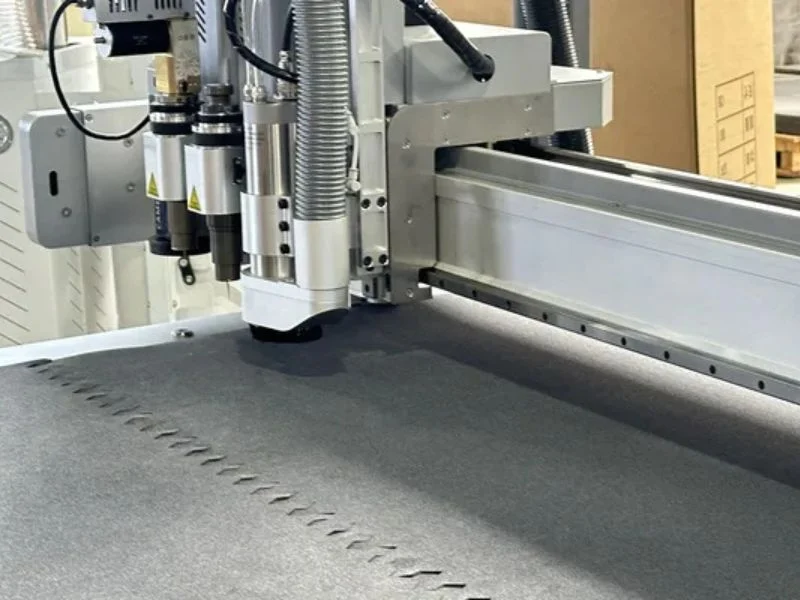
For aluminum and copper work specifically, some shops supplement vacuum hold-down with mechanical clamps at the plate edges, since metal’s weight and cutting forces can exceed what vacuum alone reliably holds on thinner plate. Confirm what workholding options your machine supports beyond vacuum before assuming vacuum-only hold-down covers your full material range.
Cutter Selection by Material
Acrylic, aluminum and copper each need different cutter geometry and coating — a single-flute or two-flute polished bit works well for acrylic’s tendency to melt and re-weld if chips aren’t cleared fast, while aluminum and copper need a coated bit designed to resist built-up edge and manage the different chip formation of metal.
Running the wrong cutter geometry on the wrong material shows up quickly: an aluminum-rated bit run on acrylic at aluminum feed rates can leave a rough, chattered edge from mismatched chip evacuation, while an acrylic-optimized bit run on aluminum dulls rapidly and produces poor surface finish. Keep separate, clearly labeled cutter sets for each material category rather than assuming one bit style covers the full material range.
Testing Feeds and Speeds Before Committing to Production
Run a test cut on your actual material — not a generic sample — before finalizing feed rate, spindle speed and cutter selection for a new material or thickness, since published feeds-and-speeds charts are a starting point, not a guarantee, across the range of alloy grades and acrylic formulations shops actually encounter.
Cast acrylic and extruded acrylic behave differently under the same cutting parameters, and aluminum alloys vary enough in hardness and chip formation that a setting dialed in for 6061 can behave differently on a softer or harder alloy. Keep a record of proven settings by specific material grade rather than a single generic setting per material category — this becomes a genuinely useful reference once a shop has run enough different material lots to see the pattern.
Precision Router vs Vision Contour-Cutting Router: When to Choose Which
Choose a precision router like this when your work is rigid-material machining — cutting, profiling and engraving acrylic, aluminum, copper and composite sheet to programmed geometry; choose a vision contour-cutting router instead when your work needs to cut accurately to a printed graphic, since that requires camera-based registration a standard precision router doesn’t include.
These aren’t competing options for the same job — a precision router excels at rigid-material dimensional accuracy, while a vision router solves a print-alignment problem that precision alone doesn’t address. Shops needing both regularly should evaluate a combined or vision-equipped model rather than trying to make a precision-only router cover print-to-cut work it wasn’t built for.
See the full T5 Precision CNC Router specifications, or our T3 vision router print-to-cut workflow guide if camera-based registration is what your work actually needs.
Frequently Asked Questions
Can the same CNC router cut both acrylic and aluminum well?
Yes, provided it has adequate bed rigidity, sufficient water-cooled spindle power, precision axis drive components, and the right cutter geometry swapped in per material — a machine built for one material extreme alone often struggles with the other.
Why does bed rigidity matter more for aluminum than acrylic?
Metal cutting generates more force through the machine structure than plastic cutting at comparable feed rates, and any gantry flex shows up as chatter marks and dimensional inconsistency — issues acrylic work at lower feed rates is more forgiving of.
What cutter should I use for acrylic vs aluminum?
Acrylic generally needs a polished single or two-flute bit that clears chips fast to prevent melting and re-welding; aluminum and copper need a coated bit designed to resist built-up edge from metal chip formation. Keep separate labeled cutter sets for each.
Is vacuum hold-down enough for cutting aluminum plate?
Often not on its own for thicker plate — some shops supplement vacuum with mechanical edge clamps, since metal’s weight and cutting forces can exceed reliable vacuum hold on thinner material.
Do I need a vision-equipped router instead of a precision router?
Only if your work needs to cut accurately to a printed graphic — that requires camera-based registration. For rigid-material dimensional machining without a print-alignment need, a precision router is the right tool.
What spindle power is needed for copper cutting?
A water-cooled spindle in the 5–6 kW range typically covers copper alongside aluminum and acrylic at common sheet and plate thicknesses, though very thick copper plate may need slower feed rates regardless of spindle power.