CNC router maintenance is what keeps a router cutting to size in its third year the way it did in its first.
Most routers do not fail suddenly. A dusty camera lens starts missing marks, a dry guide rail adds a little positioning error, a tool taper seats slightly off — and the first sign is scrapped material, not an alarm. By then the fix costs a shift instead of fifteen minutes.
This checklist covers CNC router maintenance by frequency — daily, weekly and monthly — and then by subsystem: spindle, motion, tool changer, camera and knife, vacuum and dust.
What Does CNC Router Maintenance Involve?
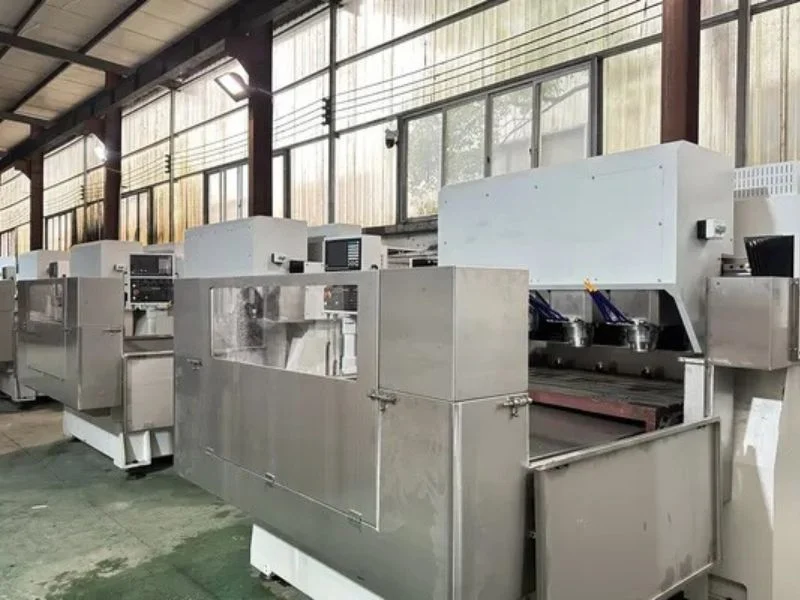
CNC router maintenance means keeping six subsystems in condition: the spindle, the motion system, the tool changer, any camera or knife head, the vacuum hold-down, and the dust and air supply — plus the controller data that ties them together. Basic maintenance is mostly cleaning, lubricating and checking; the skill is doing it on a schedule rather than after a problem.
This CNC router maintenance checklist applies to gantry CNC routers, including ATC CNC routers, and the router-type machining centres built on the same platform — the MNT T2, T3, T5, T6 and T7 routers and the M1631, M3015 and M4020 machining centres. Every machine also has its own manual, and where the manual gives an interval or a lubricant type, the manual wins.
It is one checklist on purpose: vision, ATC and large-format machines share most of their CNC router maintenance, and the extra items — camera, tool magazine, knife head, longer gantry — have their own sections below.
Preventive maintenance is cheaper than repair for a simple reason: a worn part caught early is a consumable, while the same part left to fail takes other components with it and stops the machine at the worst moment.
Daily CNC Router Maintenance Checklist
Daily CNC router maintenance takes about fifteen minutes at shift start: warm the spindle, clean the tool tapers and camera lens, check the blade, and confirm dust extraction and air supply are working.
| Daily task | Why it matters | Applies to |
|---|---|---|
| Run a spindle warm-up cycle, 2–3 minutes ramping from low RPM | Cold bearings have tighter clearance and thicker grease; a cold start at full RPM shortens bearing life | All routers |
| Wipe tool holder tapers and check collets | A chip or resin film on the taper seats the tool off and throws the length offset | All; critical on ATC |
| Clean the CCD camera lens and check the ring light | A light dust film causes intermittent registration misreads | Vision routers |
| Inspect the knife blade edge, depth and holder play | A dull or loose blade leaves frayed, angled or incomplete cuts | Routers with a knife head |
| Check chiller coolant level, flow and temperature | A cooling shortfall lets spindle temperature creep without an alarm | Water-cooled spindles |
| Check dust extraction airflow and clear the bed and guides | Dust on guides wears them; dust on the camera ruins registration | All routers |
| Drain the air filter and check line pressure | Wet or dirty air contaminates tool holders and pneumatic parts | All routers with pneumatics or ATC |
Make the warm-up a saved program rather than something the operator has to remember. Most controllers can store a routine that ramps from around 3,000 RPM to working speed, and a spindle that still sounds uneven after it needs a bearing check, not more warm-up. Keep the daily list on the machine, initialled each shift.
Weekly and Monthly CNC Router Maintenance
Weekly CNC router maintenance checks the things that drift slowly — tool magazine, camera calibration, vacuum gaskets, backups — while monthly tasks cover the motion system, the drive and the safety guarding.
| Interval | Task | What you are looking for |
|---|---|---|
| Weekly | Cycle every ATC magazine position | Smooth grip and release, no hesitation or change in sound |
| Weekly | Run the camera calibration routine | Offset stable between checks; a growing offset points to a loose mount |
| Weekly | Clean vacuum channels and inspect zone gaskets | Every zone switches cleanly and seals; no cracked or flattened gasket |
| Weekly | Back up job files, tool library, offsets and parameters | At least two backup generations kept off the machine |
| Monthly | Lubricate guides and rack, check coverage over full travel | No dry section anywhere along either axis |
| Monthly | Check rack-and-pinion backlash, servo mounts and ball screws | No play, binding or new noise; both sides of a dual drive in step |
| Monthly | Test emergency stops, interlocks and guards | Every E-stop and interlock stops motion as designed |
| Per chiller maker’s schedule | Flush and replace spindle coolant | Degraded coolant loses efficiency gradually |
Treat these CNC router maintenance intervals as a starting point. A router running two shifts on MDF needs its dust and lubrication items more often than one cutting acrylic for a few hours a day. Adjust from what you find: if the guides are always dry at the monthly check, the interval is too long.
Keep a simple CNC router maintenance log of what each check found. The log is what turns maintenance from a routine into a warning system — a backlash figure that rises a little every month is a rebuild you can schedule instead of a breakdown.
Spindle Care: Warm-Up, Cooling and Bearings
In CNC router maintenance, the spindle is the most expensive wear part, and most spindle failures trace back to three habits: cold starts at full speed, a neglected cooling system and contaminated tool tapers.
Warm-up. Two to three minutes at reduced speed, ramping to working RPM, brings bearings to a stable temperature. It applies equally to air-cooled and water-cooled spindles, because bearing wear from a cold start depends on temperature and ramp, not on the cooling method.
Cooling. Water-cooled spindles built for continuous production depend on the chiller. Check level, flow and temperature daily, and replace coolant on the chiller maker’s schedule — degraded coolant loses efficiency slowly enough that spindle temperature creeps up without tripping an alarm.
Tapers and collets. A clean taper is what lets a tool seat at the same position every time. Wipe tapers daily, inspect them for wear weekly, and replace collets that no longer grip evenly. A damaged collet also damages the tools it holds.
Listening. A spindle that whines, rumbles or changes pitch under no load should be inspected before the next production run, not after it.
Motion System: Guides, Rack and Pinion, Ball Screws
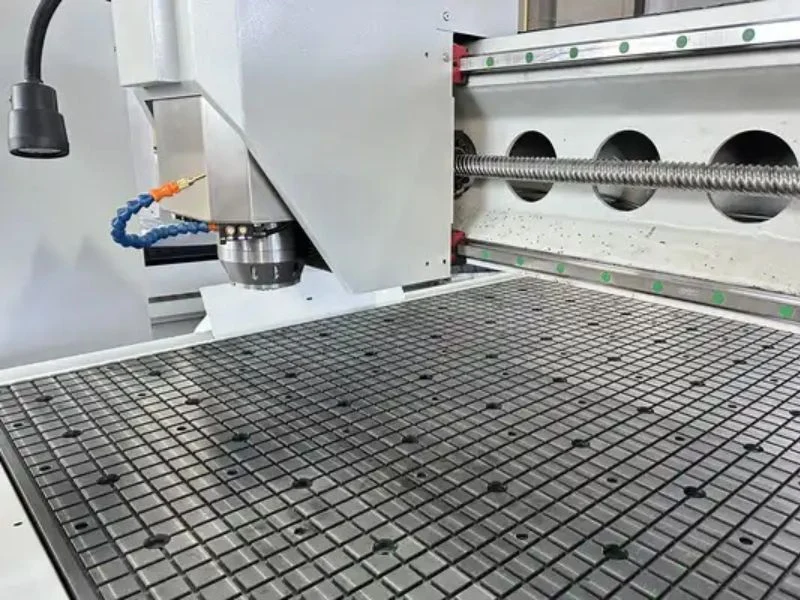
For CNC router maintenance, positioning accuracy lives in the motion system, and it fades gradually: a dry guide, a little rack backlash or a worn ball screw shows up as parts that are slightly off, which is easy to blame on programming or calibration.
Lubrication. Lubricate linear guides and the rack on the schedule and with the lubricant your machine maker specifies. The wrong grease can attract dust and do more harm than none. Check for even coverage over the full travel: a dry section causes a repeatable error at that position only.
Rack-and-pinion drive. Most gantry routers use a rack and pinion on the long axes. Check backlash and servo mounting monthly. On a dual-drive gantry, confirm both sides stay in step — a gantry that has begun to rack shows positioning error that grows the further it travels from its reference.
Ball screws. Where a machine uses ball screws, typically on the Z axis or on direct-drive machining centres, check for play, binding and noise, and keep preload in specification. A ball screw with backlash is a precision component running marginal, and it should be adjusted or replaced promptly.
Large-format machines. On a 4000 × 2000 mm bed, inspect guides and rack along the full length, not just near the home end. Extra travel means wear and lubrication gaps can develop unevenly, and a spot check at one end misses a problem at the other. The trade-offs between drive types are covered in our guide to direct drive vs rack and pinion.
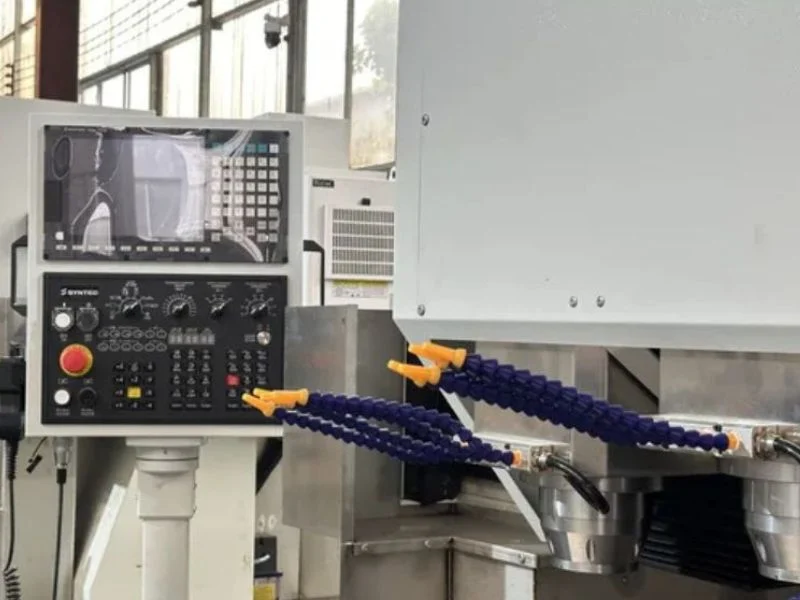
Tool Changer Maintenance on ATC Routers
CNC router maintenance on an ATC machine adds a tool magazine and an automatic change cycle to everything a single-spindle router needs — and these drift quietly, so the first symptom is often a tool that seats badly mid-job or a part suddenly out of Z tolerance.
Clean tool holder tapers before every shift and keep the magazine free of dust and chips. A slot with debris in it can stop a tool seating fully, which either throws a fault or, worse, lets the job continue with a tool that is not properly secured.
Cycle every magazine position weekly — linear racks and disc magazines alike — and listen for hesitation or a change in sound. A magazine that is starting to bind usually sounds different before it actually fails.
Recalibrate tool length whenever a new tool goes into the magazine, after any crash or collision, and periodically even without a trigger. A slightly wrong offset does not stop the machine; it simply cuts too deep or too shallow on every part. Keep the tool setter clean and undamaged, because a bad reading from it corrupts every offset it measures.
ATC configurations, 4-position linear racks and disc magazines are compared on our ATC CNC router page.
Vision Camera and Knife Tool Maintenance
On vision and hybrid routers, CNC router maintenance adds camera and knife-head checks: a dirty lens is the most common cause of registration errors, and a dull blade is the most common cause of poor knife-cut edges.
Camera lens. Blow loose dust off with compressed air, then wipe with a lens-safe cloth at the start of every shift — never a dry paper towel, which scratches the coating. Intermittent misreads are more disruptive than a consistent fault, because they look like a calibration problem and send troubleshooting in the wrong direction.
Calibration. Run the camera calibration routine weekly even when nothing looks wrong. If the offset keeps growing between checks, look at the camera mounting before blaming the software; mechanical drift is the more common cause. On machines with a hybrid stepper-servo drive, such as entry-level vision routers, a periodic test cut also checks for drive drift that can masquerade as a camera problem.
Knife head. Check the blade edge, the depth setting against the material, and the holder for lateral play before the first job. A sharp blade with play wanders in thick stock and leaves an angled wall. Log blade life by material — fibreglass-backed board and multi-layer leather dull blades far faster than foam or fabric.
Dust and the camera. Place extraction close to the cutting point so debris stays away from the camera housing. On a camera-guided router, an extraction gap is not just a mess; it is an accuracy problem.
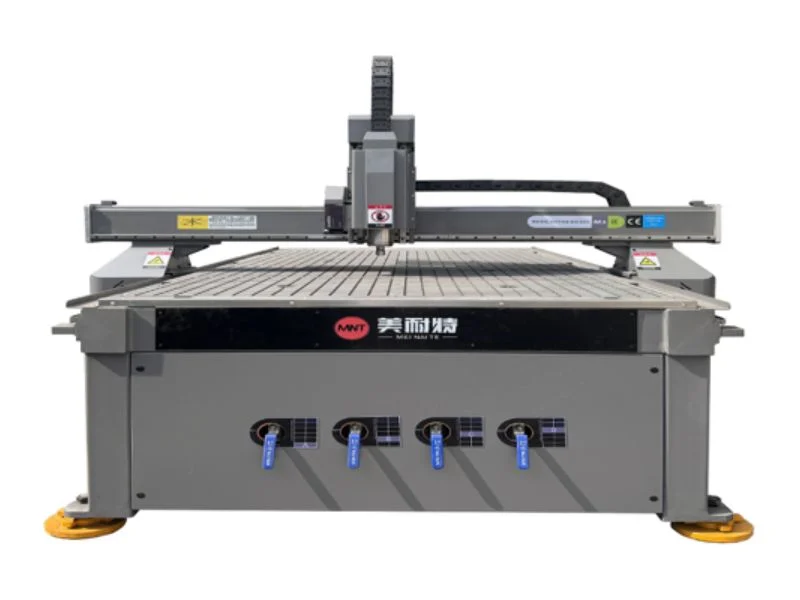
Vacuum Table, Dust Extraction and Compressed Air
In CNC router maintenance, hold-down, extraction and air are the “housekeeping” systems that quietly decide part quality: a sheet that moves under a weak vacuum cannot be cut accurately by any spindle, camera or controller.
Vacuum table. Clean the channels and inspect zone gaskets weekly. A worn gasket lets air bypass into the zone you are using and reduces suction exactly where the part sits. On large beds, check every zone, because a single weak zone affects a large area of a full panel. Match pump capacity to your largest typical layout.
Dust extraction. Check airflow daily, keep filters on schedule, and check ducting joints for leaks along long runs. MDF, composites and aluminium all produce fine dust that wears guides and fouls sensors.
Compressed air. Drain water separators and check filters and regulators regularly. Wet or oily air leaves residue in tool holders and on precision surfaces, and it is easy to misdiagnose as a machine fault.
Material handling. Many vacuum and gasket problems start with how sheets go on and off the bed. Dragging heavy sheets across the table tears gaskets and scores the spoilboard; our guide to CNC machine loading covers safer methods.
Backups, Records and When to Call for Service
Good CNC router maintenance ends with records: back up controller data weekly, keep a maintenance log, and call for service when a measured value keeps trending the wrong way — not only when the machine stops.
Back up job files, tool libraries, offsets and machine parameters weekly and immediately after any calibration or parameter change. Keep at least two generations, stored off the machine. Rebuilding dialled-in offsets after a controller reset takes far longer than a scheduled backup.
Call for service when a trend appears — rising backlash, creeping spindle temperature, growing calibration offsets or vacuum that never reaches its old level. Each is a part nearing the end of its life, and far cheaper to fix on a planned visit. When you call, have the log ready: lubrication dates, the last backlash reading and spindle hours save an hour of fault-finding. Specifications for each model are on our CNC router pages.
Frequently Asked Questions
What is basic maintenance in a CNC machine?
Basic CNC maintenance is cleaning, lubricating and checking on a schedule: warm the spindle, clean tool tapers, clear dust from the bed and guides, check vacuum and air supply daily, and lubricate guides and check the drive monthly. On a router it takes about fifteen minutes a day, and it prevents most unplanned stops.
How often should a CNC router be serviced?
Operators should do daily, weekly and monthly checks themselves, and most shops add a professional inspection once or twice a year, depending on hours and material. A router running two shifts on abrasive material such as MDF or composites needs shorter intervals than one cutting acrylic part-time.
How do I troubleshoot a CNC router that is cutting inaccurately?
Work from the cheapest cause up: check that the sheet is held firmly, the tool is sharp and seated, and the tool length offset is right; then look for dry guides, rack backlash or a gantry out of step; then check the camera calibration on vision machines. Most accuracy problems are hold-down, tooling or lubrication, not the controller.
How long does a CNC router last?
With consistent maintenance, the frame, gantry and guides of an industrial router last many years, while wear parts — spindle bearings, collets, gaskets, belts and filters — are replaced during that life. Machines that are warmed up, lubricated and kept clean reach their rebuild points far later than neglected ones.
How long should a CNC spindle warm up?
Two to three minutes at reduced speed, ramping to working RPM, is enough for most spindles — for example, starting around 3,000 RPM. Save it as a program so it runs every shift. If the spindle still sounds uneven after warm-up, inspect the bearings rather than extending the warm-up.
Does a vision CNC router need extra maintenance?
Yes: clean the camera lens every shift, check the ring light, and run the calibration routine weekly. Keep dust extraction close to the cutting point, because dust on the lens is the most common cause of intermittent registration errors that look like calibration faults.
CNC router maintenance is easier when the machine is specified for it from the start. If you are choosing a router, ask us which service items apply to your configuration and what the recommended intervals are for your material and shift pattern — or contact our engineering team for spare parts, training and service support on an MNT machine you already own.